 Docs
DocsYour instance
Control this Rclone UI from your phone, or from rclone rc anywhere, through a secure tunnel.
Rclone UI can make the rclone it runs reachable from outside the computer.
It opens a tunnel through Cloudflare that gives you a temporary public address. Nothing is configured on your router and no port needs to be opened in the firwall.
To enable it, navigate to the Mobile section in the Settings window. The connection stops working the moment you disable the tunnel.
The Rclone Mobile app connects to it, and so can rclone's own remote control command from any machine.
Connecting from Rclone Mobile
If you haven't already, install Rclone Mobile on your phone: iOS/iPadOS or Android
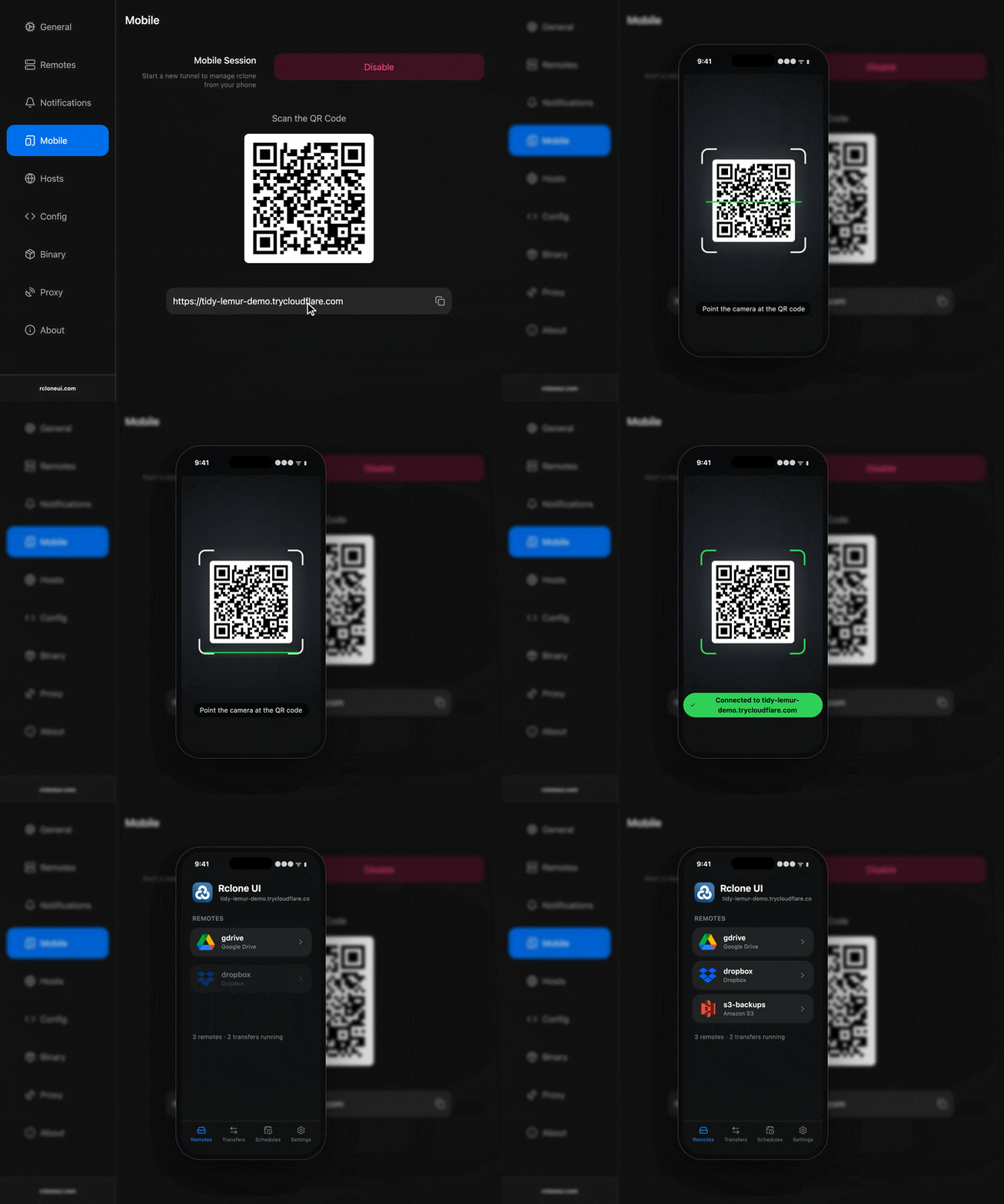
Open the app and scan the QR code. Rclone Mobile app connects through the tunnel and shows is the same data (remotes, transfers, files etc) as on your local device.
For more info, the Rclone Mobile docs cover the app itself.
Connecting from Rclone CLI (or a script)
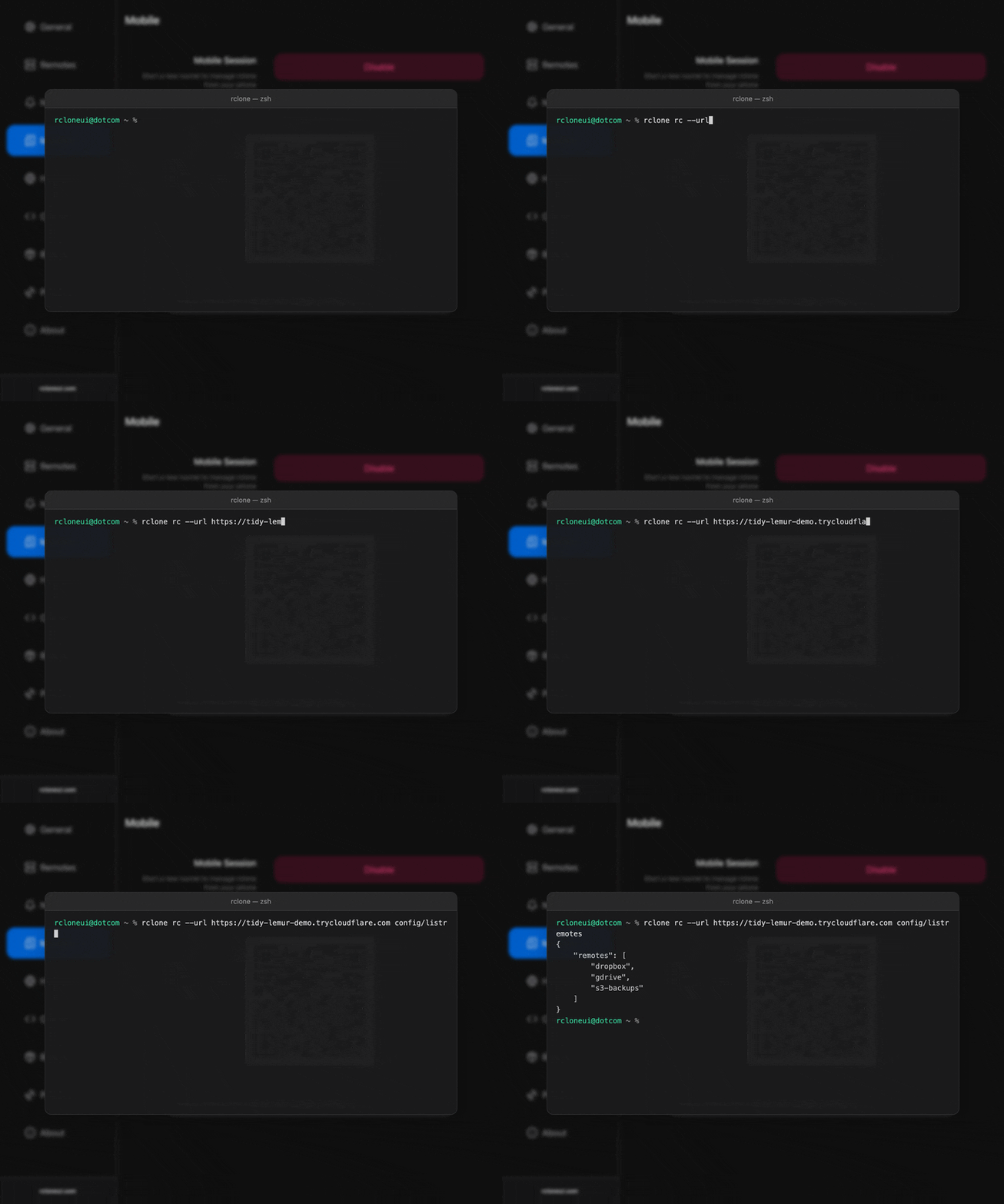
The tunnel exposes rclone's remote control API, so the rclone rc command, or any program that speaks the API, can drive this instance from another machine by pointing at the tunnel address: list the remotes, start a copy, read the transfer statistics.
See the Remote Control & API page which covers the API and the client libraries.
Troubleshooting
- "Tunnel startup timed out after 15 seconds": cloudflared could not reach Cloudflare. Check the internet connection and whether a firewall or proxy blocks outgoing connections, then try again.
- The Mobile section is greyed out: Rclone UI is connected to another host. Switch to the local host in Settings, Hosts; the tunnel can only expose the local instance.
- The phone shows an error after scanning: the tunnel was disabled and enabled again since. Scan the new code.
Explainer Video
How is this guide?