Skip to the content
Rclone UI

The official desktop app for rclone.

The GUI for everything rclone does: copy, sync, mount and share files across more than 70 kinds of storage. Not a single --flag to remember.

This is the launcher, you can try it right here!

Two panels. Any two places.

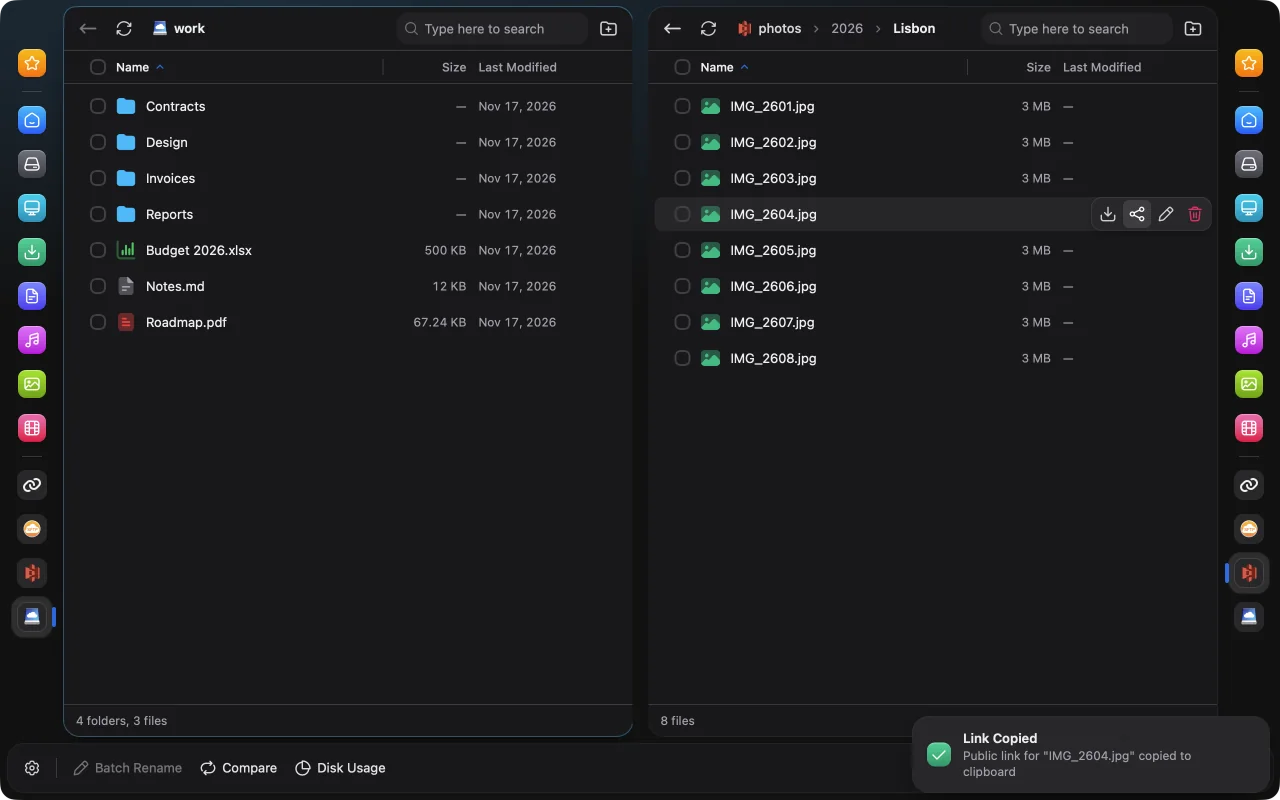
Commander shows your remotes and computer side by side. Drag files across, then choose Copy or Move.

Commander after copying the public link of a photo, with the Link Copied notice

Four ways to move files, in plain words.

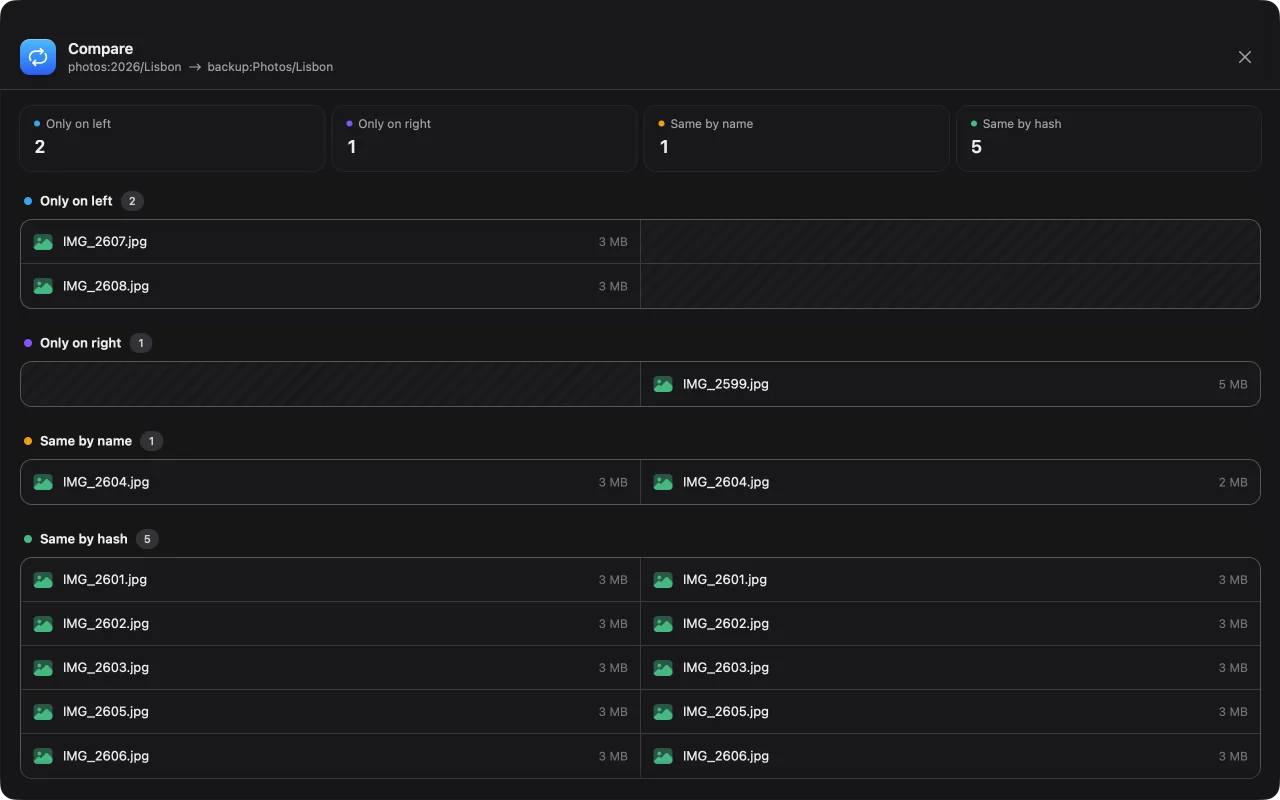
Puts files into the destination and skips the ones already there. Nothing is ever deleted.

Source

~/Photos

  • beach.jpg
  • dunes.jpg
  • sunset.jpg

Destination

gdrive:Photos

  • beach.jpgcopied
  • dunes.jpgcopied
  • sunset.jpgalready there
  • old-draft.jpg

Not sure what will happen? Use the “dry run” option to preview what would be copied or deleted, without changing anything.
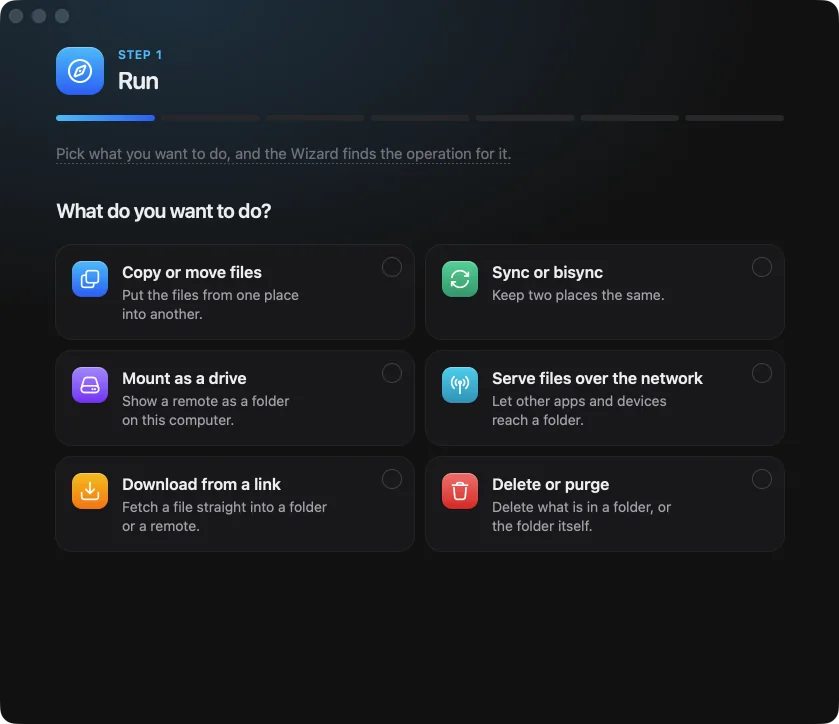

Not sure which one?

Wizard asks what you want to do and finds the operation for it. Nothing starts until you say so.

The Wizard window asks “What do you want to do?” and offers choices such as copying files, mounting a drive and downloading from a link

It keeps working after you close the window.

Schedules

Run a copy, a sync or another operation by itself: every hour, every night, or on a cron expression.

Watchers

A watcher keeps two folders alike both ways, like Dropbox, on this computer or on a remote. If many files disappear from one side, it stops and asks first.

History and retries

Every transfer is listed, and kept after a restart. When something fails, retry only the files that failed.

In the background

Rclone UI stays in the menu bar or the system tray when its windows are closed. Schedules, watchers and mounts keep going.

Your storage, wherever you need it.

Mount

Show a remote as a folder or a drive letter, so that any app can open its files. It works out of the box: no macFUSE on macOS, and WinFsp comes with the Windows installer.

Serve

Share a local or remote folder with other devices and apps, using their native protocols.

Templates

Save the paths & options of an operation for later, and use them in one click. Our gallery has ready-made ones.

More than 70 kinds of storage.

  • Google Drive
  • Dropbox
  • OneDrive
  • Amazon S3
  • Backblaze B2
  • Cloudflare R2
  • Google Cloud Storage
  • Azure Blob Storage
  • Box
  • pCloud
  • MEGA
  • Proton Drive
  • iCloud Drive
  • Google Photos
  • SFTP
  • WebDAV
  • SMB
  • FTP
  • Wasabi
  • DigitalOcean Spaces
  • MinIO
  • Filen
  • Storj
  • Jottacloud
  • Koofr
  • Scaleway
  • Yandex Disk
  • Internet Archive

From your phone, your chat, or your AI agent.

On your phone

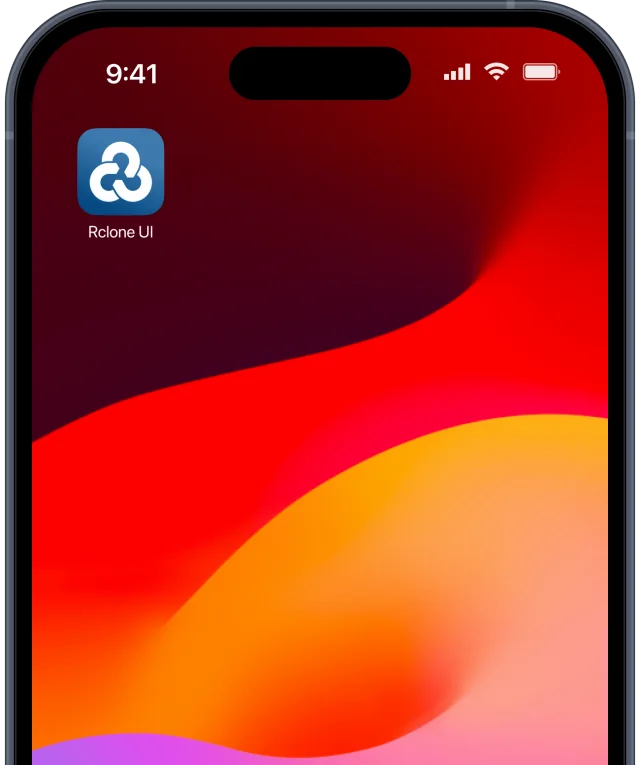
Rclone UI for iPhone and Android reaches rclone on your computer through a private tunnel. Scan a QR code to connect.

A phone with the Rclone UI app on its home screen

Notifications

Get a message when a transfer fails or finishes, or when a mount or a serve stops.

AI agents

Claude Code, Claude Desktop, Cursor and other apps can use Rclone UI over MCP. It is off until you turn it on, and the agent previews anything that deletes or overwrites files.

Download Rclone UI.

macOS

Windows

Installer

Portable

Linux

.deb

.rpm

AppImage

iPhone and iPad

App Store

All releases on GitHub

Used by people at