 Docs
DocsWebhook
Send Rclone UI's notifications as JSON to any endpoint of your own that accepts a POST request.
The Webhook provider is for everything that is not Discord, Slack or Telegram: a server of your own, an automation service, a home automation hub.
Rclone UI sends each event as one JSON document in a POST request to the address you give it.
Setup
Have an endpoint ready
You need an endpoint that accepts a POST request with a JSON body and answers with a success status. Where it lives is up to you: a small server you wrote, an automation service's catch-all trigger, a home automation system's webhook trigger.
Use an address that starts with https:// when you can. Rclone UI accepts plain http:// but warns that the message would travel unencrypted, which matters when the paths in it are private.
Add the target
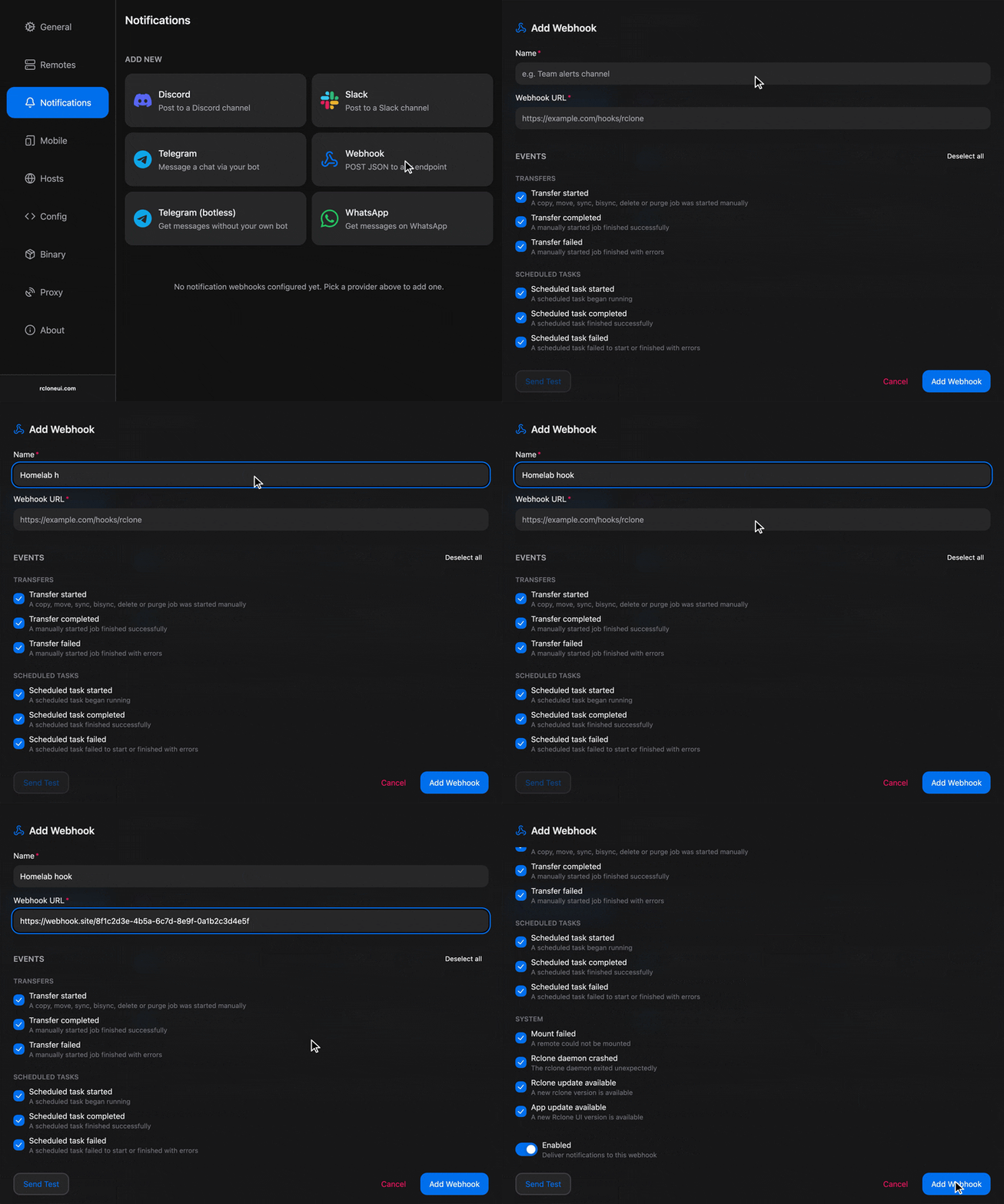
In Rclone UI, open the toolbar, type settings and open the Notifications section. Under "Add New", pick Webhook. Give the target a name and enter the endpoint's address in "Webhook URL".
Choose the events
Tick the events this target should receive. To see all the supported events, check the Events section.
Test and save
Press "Send Test", check that the endpoint received a request, then "Add".
Data format
Each event is one JSON document.
It carries the event's id and its readable label, a severity (success, error or information), a title and a body in the same wording as the messages the other providers get, a timestamp, and a data section with what the event was about: the job number, the operation, its sources and destination, and for finished jobs the duration and the error, if any.
Rclone UI sends its own version along, which lets a receiver notice a format change after an update.
The request also has an X-RcloneUI-Event header with the event id, so an endpoint can route on the header without reading the body. The ids are:
| Event | Id |
|---|---|
| Transfer started, completed, failed | job.started, job.completed, job.failed |
| Scheduled task started, completed, failed | schedule.started, schedule.completed, schedule.failed |
| Mount failed | mount.failed |
| Rclone daemon crashed | rclone.crashed |
| Rclone update available | rclone.update-available |
| App update available | app.update-available |
A delivery counts as successful when the endpoint answers with a success status. A network error or a server error is retried once after a short pause (a rejection by the endpoint, such as a bad request, is not).
Troubleshooting
- "Send Test" fails with a connection error: the address is wrong, the endpoint is not running, or it is only reachable from inside a network Rclone UI's machine is not on. Open the address in a browser from the same machine to see whether it answers at all.
- The endpoint receives the request but rejects it: it expects a different body or an authentication header. Rclone UI sends the JSON described above with no authentication; put the secret in the URL's path or query if the endpoint allows it, or receive the request with something that adds the authentication for you.
- The card shows "Last delivery failed" with a server error: the endpoint answered with an error status. The message on the card carries the status; the endpoint's own log has the rest.
How is this guide?