 Docs
DocsDiscord
Post Rclone UI's notifications to a Discord channel through a channel webhook.
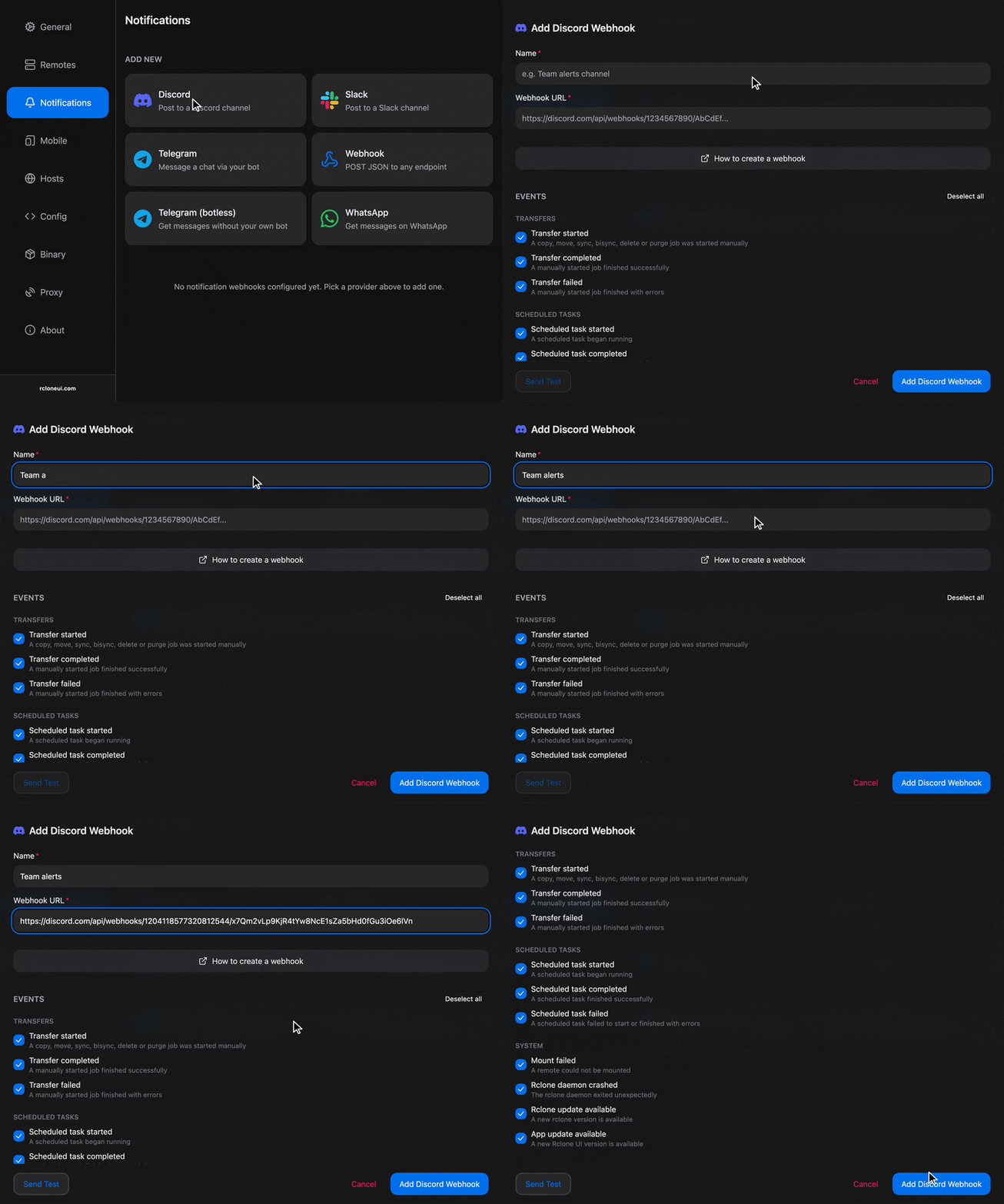
To get a webhook from your server and use it for notifications, check out steps outlined below.
Setup
Create the webhook
In Discord, open the settings of the channel that should receive the messages, then Integrations, then Webhooks, and create a webhook. Copy its URL.
Creating one needs the manage webhooks permission, which server administrators have. Keep the URL to yourself, since anyone who has it can post to the channel.
Add the target
In Rclone UI, open the toolbar, type settings and open the Notifications section. Under "Add New", pick Discord. Give the target a name and paste the webhook URL into "Webhook URL".
Rclone UI checks the URL's shape as you type, so an address that is not a Discord webhook is refused with a message saying what was expected.
Choose the events
Tick the events this target should receive. To see all the supported events, check the Events section.
Test and save
Press "Send Test". A test message appears in the channel within a moment. Then "Add".
Troubleshooting
- "Send Test" is refused with "This doesn't look like a Discord webhook URL": the pasted text is not the webhook's URL. Open the webhook in the channel's settings and use "Copy Webhook URL".
- The test succeeds but nothing appears in the channel: the webhook belongs to another channel. Each webhook posts to the channel it was created in; create one in the right channel.
- Messages stop and the card shows "Last delivery failed": the webhook was deleted in Discord, or the channel was removed. Create a new webhook and paste its URL with "Edit".
How is this guide?