 Docs
DocsAdvantages
So why is Rclone UI the best?
Quick Access
There is no solution that comes close to the speed and ease of use of Rclone UI.
Any command is always on click away, no custom interfaces to learn or terms to learn.
It's the rclone you know and love, but with a beautiful and intuitive UI not available anywhere else.
The toolbar is smart and aware of your remotes, for example you can type "copy myRemote: destRemote:/path/to/destination" and it will automatically fill in the source and destination paths for you when opening the Copy command.
Integrated Helper
Rclone UI comes with a built-in helper that will help you with your commands.
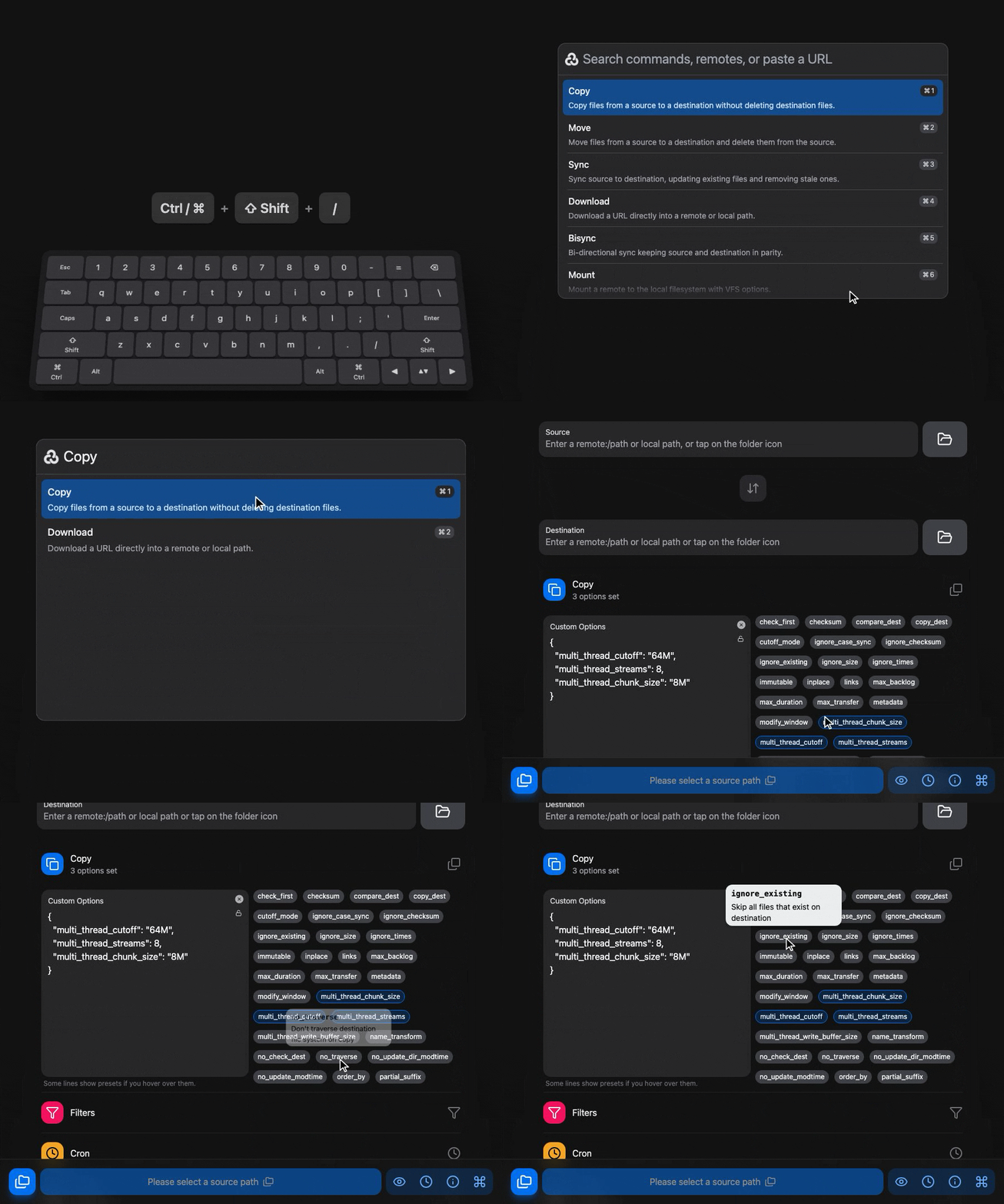
Hovering over an option or flag shows a tooltip with what it does and when it makes sense to use it, so the rclone documentation does not need to stay open in a browser tab anymore.
Schedules
Rclone UI includes cron-based scheduling, so any rclone operation can be automated, from regular backups to transfers between remotes, without editing crontab files or configuring Task Scheduler.
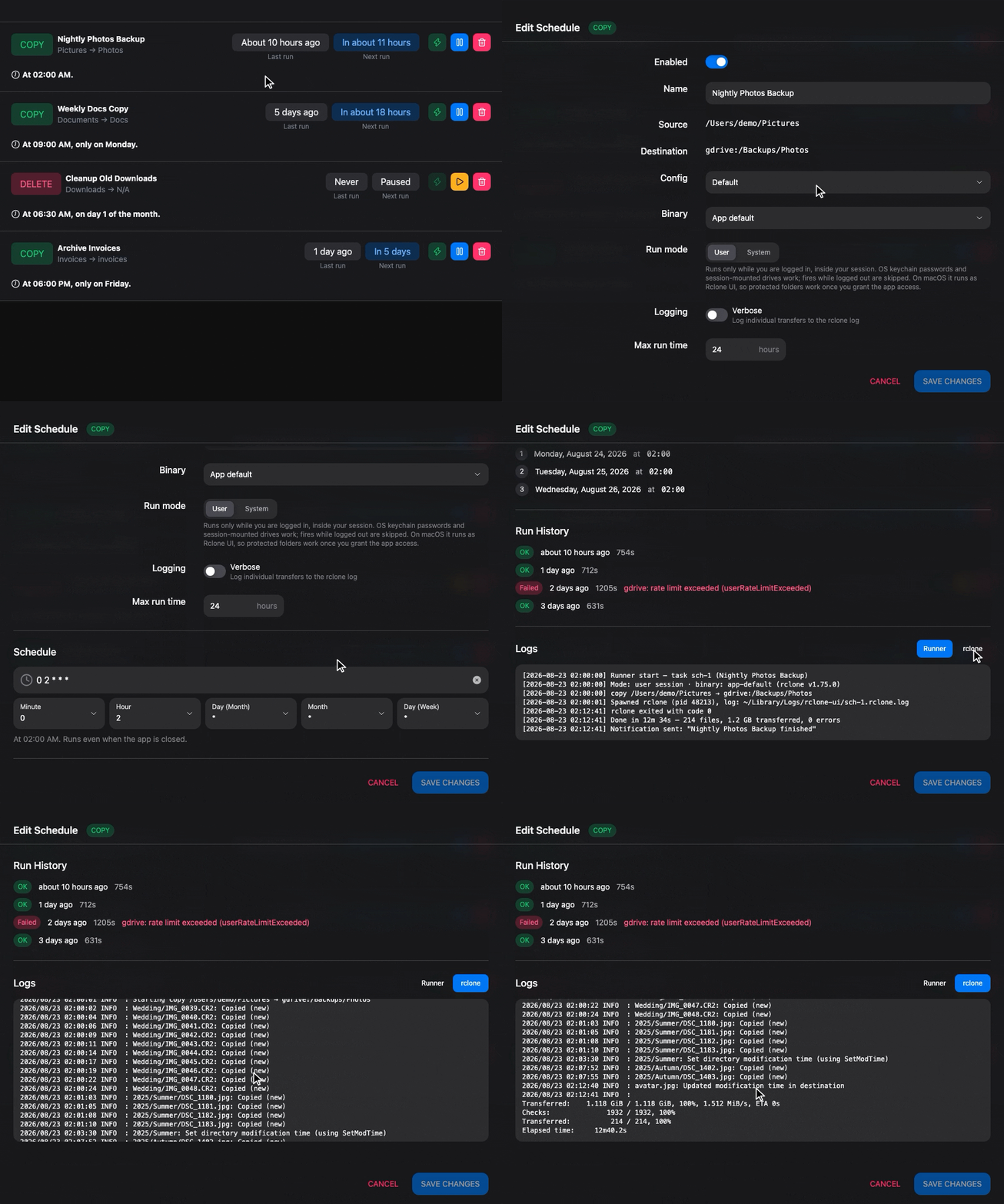
A schedule is set up in the interface. Tasks can be one-time or recurring, run at specific times or intervals, and several operations can be chained together.
Scheduled tasks run in the background, and their execution can be followed in the job logs.
Commander
Rclone UI includes a dual-panel file manager, the Commander: two locations side by side, local or remote, with drag and drop between them.

Copying between two clouds becomes the same gesture as moving files between two folders. Previews, sharing, batch rename and folder comparison live in the same window, so everyday file work never leaves it. The Commander page covers it in detail.
Remote Control
Rclone UI can connect to and control rclone instances running on your servers, in Docker containers or in a homelab, so local and remote operations are managed from a single interface.
Connecting to an rclone instance that has the remote control API enabled gives full control over it from your desktop: starting transfers, monitoring progress, managing remotes and viewing logs. There is no need to SSH into servers or keep several terminals open.
This suits headless servers, Docker deployments and backup systems distributed across a network.
How is this guide?