 Docs
DocsCommander
Browse two locations side by side, drag files between them, preview, share, rename and compare.
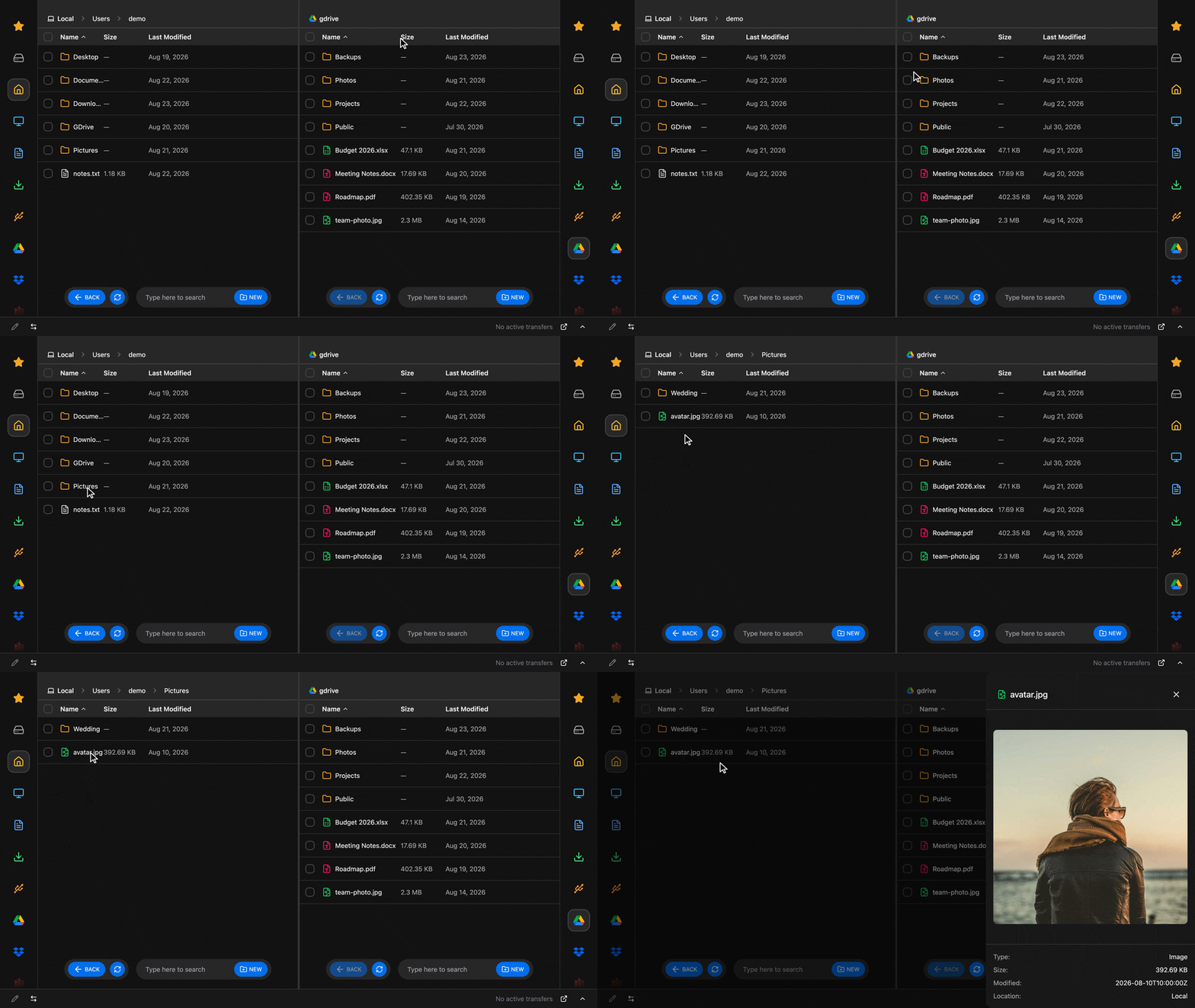
The "classical" Commander in Rclone UI allows easy navigation with 2 side by side panels for multi-remote navigation.
It supports drag & drop to move files and folders between the locations.
While the operation windows (Copy, Move etc) allow for deeper configuration, the Commander is easier to use for multiple transfers at a time, and comes with extra features like Batch Rename and Compare.
Usage
Open the Commander from the toolbar launcher or search for one of your remotes and select "Browse..."
From the Commander you can:
- Tap files to preview them
- Drag items from one side to the other to copy/move
- Create new folders
- Search, backed by
rclone ls - Star folders/files to appear in the favorites section
- Download, Rename and Delete file/folders
- Share files (if the provider supports public links)
Batch Rename
Select a few items (at least 4) and tap the pencil icon on the bottom left of the window.
This will open the batch renamer. The renamer does find and replace (including regex), prefixes & suffixes, sequential numbering and case changes.
Renaming happens directly on the remote if the provider supports it (and most do). Before committing, you have a live preview of every name that will change.
For more info see the Rename page, which covers each rule.
Compare
On the bottom left you'll also find the compare button. It opens a full view showing a diff of the currently opened folders (on the left and right).
Every item lands in one of four groups: only on the left or right side, same by name, or same by content (checksum). For example, a complete backup would have everything under "Same by hash".
See the complete docs for Compare.
Troubleshooting
- No share icon on a row: that remote can't create public links.
- No "NEW" button: the remote doesn't support creating empty folders.
- A dragged copy didn't replace existing files: "Overwrite existing files" wasn't ticked in the dialog.
- Batch Rename stays grey: fewer than 4 items are selected, or the selection spans both panels.
How is this guide?